
Documentation for ColorJoy.me
Dashboard
Let's explore the features of the palette feed.
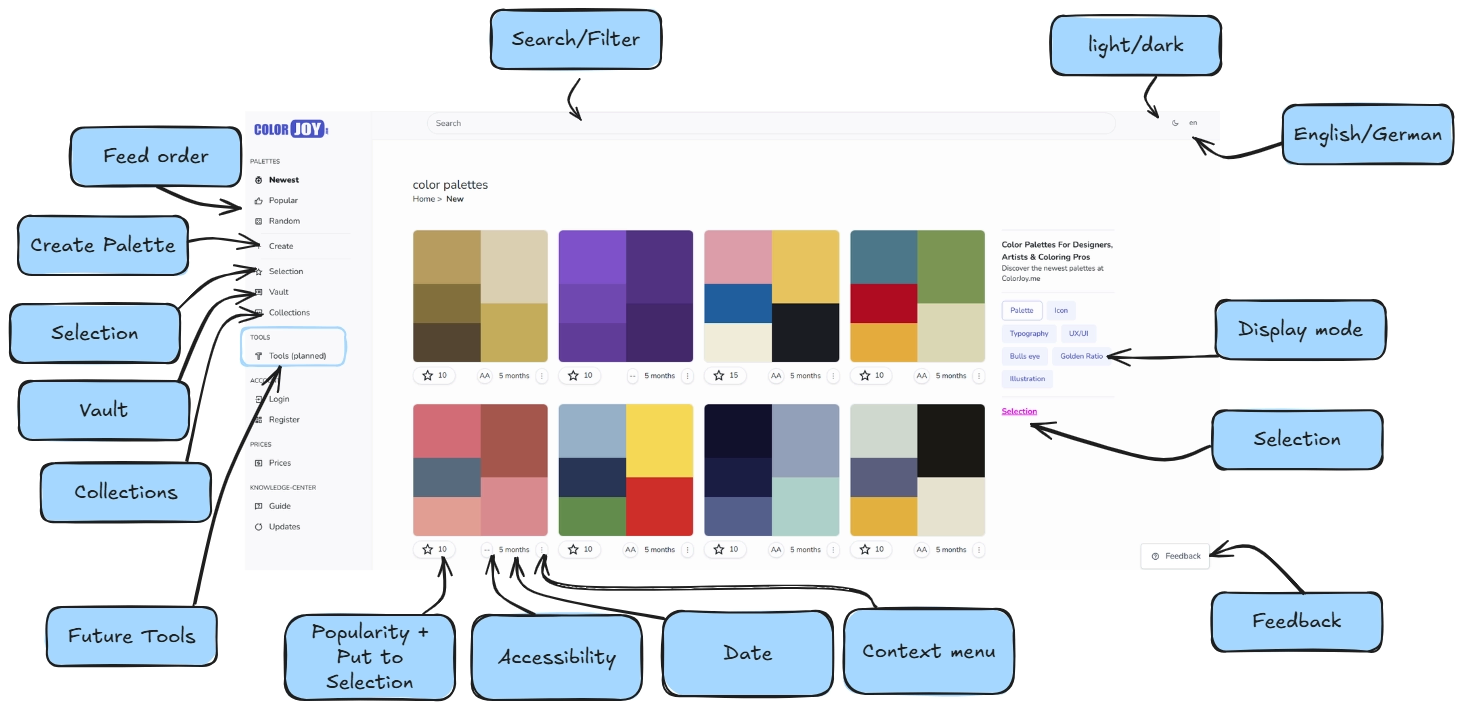 View on desktop-devices
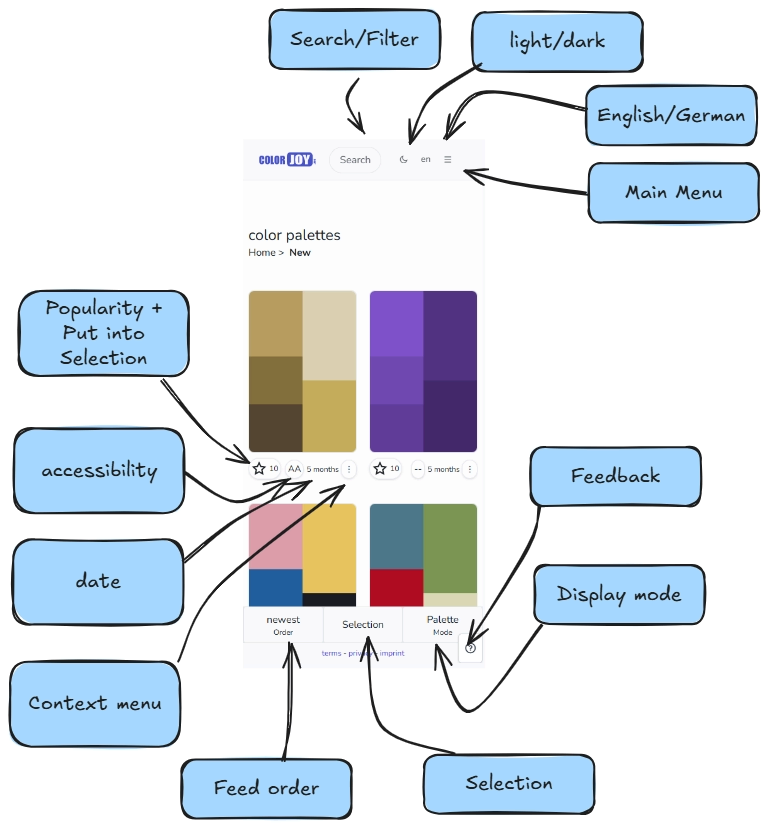 View on mobile-devices
Side menu left
Desktop devices have a side menu. On mobile this menu is available under the main menu icon at the upper top corner.
- Palettes section: This section holds the buttons for the order of the palettes within the feed, palette creation, vault and collections.
- Tools section: Here you find a rough description of planned tools for the future. If you are interested, show your interest by joining the waitlists.
- Account: This section holds access to your account settings.
- Knowledge Base: This section holds access to the knowledge base, status page and a documentation of updates.
Top Bar
The topbar of desktop and mobile devices are quite similar. You have access to Search/Filter, a switch for light/ dark mode, the language selector and the main menu. In case you are sign-ed in you have an additional icon of a bell show you notifications, if any.
Second the displays
Side menu right
This menu is only on desktop devices.
This is were you find the display options for the palette representation in the feed. Also there is a section showing you mini palettes that you have stored into a temporary selection. This is useful, if you like multiple palettes and you want to see them side by side.
Second the displays
Feedback
This button opens a modal where you can post ideas, proposals, bugs. Use this to help up improve this platform. If you miss information or functionality or don't like things, than there is room for improvement.