
Documentation for ColorJoy.me
Export
Users without subscription can copy hex values in the context menu of a palette or in the details page to the clipboard. There is no other export option.
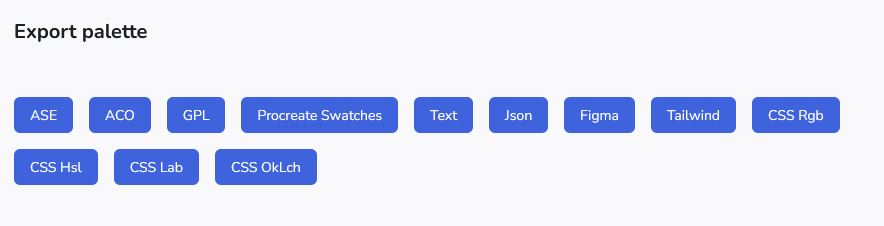
Users with subscription can use various export functions. The export is accessibile in the info side panel of a palette in the feed or in the details page of a palette.
ASE - Adobe Swatch Exchange
A file with the ASE file extension is an Adobe Swatch - Exchange file. It is used to store a collection of colors. This collection can be accessed via the Swatches palette of some Adobe products such as Photoshop. The format facilitates the sharing of colors between different programs. It is a binary format, so you cannot read the content with a text viewer.
Adobe Color (ASE)
An ACO file is a color swatch file used by Adobe Photoshop and other Adobe Creative Suite applications to store and share color palettes. It contains a set of predefined colors.
GIMP GPL
A .gpl file is a Palette file for the open source graphic software GIMP..
GIMP Palette (.gpl) files are plain text files used by the GIMP (GNU Image Manipulation Program) graphics editor to store and share color palettes
GIMP Palette
Name: 7EADAE-FFF5F3-5C4A4D-82E4F2-B8FFFF
Columns: 5
126 173 174 Galaxy Green
255 245 243 Coy
92 74 77 Deep Aubergine
130 228 242 Photon Barrier
184 255 255 Young Cornflower
Procreate swatches
A Procreate swatches file is a file with the .swatches extension that contains a color palette specifically formatted for use in the Procreate app on iPad. These files store up to 30 individual colors that you can import and use as a palette within your Procreate projects.
Text
The text file is a simple list of colors like this:
Palette
Name: 7EADAE-FFF5F3-5C4A4D-82E4F2-B8FFFF
RGB 126 173 174 - Hex #7EADAE Galaxy Green
RGB 255 245 243 - Hex #FFF5F3 Coy
RGB 92 74 77 - Hex #5C4A4D Deep Aubergine
RGB 130 228 242 - Hex #82E4F2 Photon Barrier
RGB 184 255 255 - Hex #B8FFFF Young Cornflower
Json
The json file is a list of colors like this to be used in frontend applications.
{
  "name":"7EADAE-FFF5F3-5C4A4D-82E4F2-B8FFFF",
  "colors":
    [
      {
        "rgb":[126,173,174],
        "hex":"#7EADAE",
        "name":"Galaxy Green"
      },
      {
        "rgb":[255,245,243],
        "hex":"#FFF5F3",
        "name":"Coy"
      },
      {
        "rgb":[92,74,77],
        "hex":"#5C4A4D",
        "name":"Deep Aubergine"
      },
      {
        "rgb":[130,228,242],
        "hex":"#82E4F2",
        "name":"Photon Barrier"
      },
      {
        "rgb":[184,255,255],
        "hex":"#B8FFFF",
        "name":"Young Cornflower"
      }
    ]
}
Figma
The figma format is a simple json structure. You can load this file with a popluar plugin color-import-export.
{
  "galaxy-green":"#7EADAE",
  "coy":"#FFF5F3",
  "deep-aubergine":"#5C4A4D",
  "photon-barrier":"#82E4F2",
  "young-cornflower":"#B8FFFF"
}
Tailwind css
In v4 of tailwind the custom colors are defined by placing them into the main css file in the @theme block.
@theme {

  --color-galaxy-green: #7EADAE;
  --color-coy: #FFF5F3;
  --color-deep-aubergine: #5C4A4D;
  --color-photon-barrier: #82E4F2;
  --color-young-cornflower: #B8FFFF;

}
Doing so, you have now access to the colors like:
<div class="bg-galaxy-green text-deep-aubergine">Hello</div>
css RGB
This gives the list of rgb colors
rgb(126 173 174)
rgb(255 245 243)
rgb(92 74 77)
rgb(130 228 242)
rgb(184 255 255)
css HSL
This gives the list of hsl colors
hsl(181.25deg 22.86% 58.82%)
hsl(10deg 100% 97.65%)
hsl(350deg 10.84% 32.55%)
hsl(187.5deg 81.16% 72.94%)
hsl(180deg 100% 86.08%)
css LAB
This gives the list of lab colors
lab(67.4% -16.05 -5.87)
lab(97.28% 3.21 2.22)
lab(33.44% 8.26 1.23)
lab(84.98% -27.45 -16.35)
lab(95.34% -22.7 -7.45)
css OkLch
This gives the list of OkLch colors
oklch(71.46% 0.05 197.72deg)
oklch(97.74% 0.01 31.19deg)
oklch(42.87% 0.02 6.96deg)
oklch(86.37% 0.09 207.44deg)
oklch(95.34% 0.07 196.01deg)